
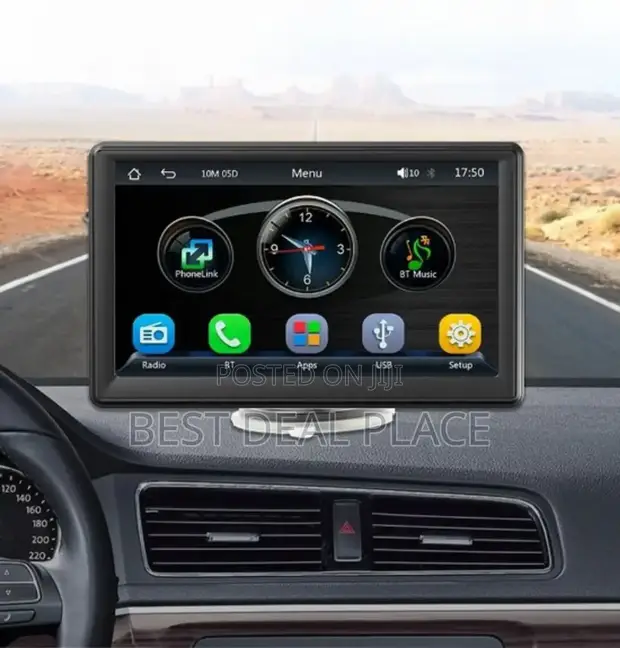
Modern driving in Nigeria has become more connected and convenient thanks to Apple CarPlay and Android Auto. These systems allow you to mirror your smartphone onto your car’s display, giving access to navigation, music, calls, and messages while keeping your focus on the road. With heavy traffic in Lagos, Abuja, and other major cities, these features help reduce distractions and make journeys less stressful. In 2026, more vehicles arriving in Nigeria come with built-in support, making it easier for drivers to enjoy these technologies.
Many popular cars in the Nigerian market now support Apple CarPlay and Android Auto. Toyota has rolled out the feature in newer Corolla, Camry, RAV4, and Highlander models. Honda offers it in the Civic, Accord, and CR-V. Hyundai and Kia models, including the Tucson, Santa Fe, Sorento, and some Rio and Picanto variants, are among the strongest supporters with excellent integration. Other notable brands include Peugeot, Volkswagen, and some Ford models. Most vehicles from 2018 onwards, especially those imported as tokunbo or assembled locally, have a good chance of compatibility, though older models may require an aftermarket head unit upgrade.
The main benefits for Nigerian drivers are significant. Google Maps and Apple Maps provide real-time traffic updates, helping you avoid go-slow areas. You can listen to music from Spotify, receive WhatsApp messages through voice commands, and make hands-free calls. This is especially useful during long drives on expressways or when navigating unfamiliar routes. Voice control reduces the need to touch your phone, improving safety in our challenging road conditions.
Setting Up Apple CarPlay
The setup process is straightforward. First, ensure your iPhone is running the latest iOS version. Connect your car’s infotainment system to your phone using a genuine Lightning cable. On most supported vehicles, CarPlay launches automatically once connected. If it does not, look for the CarPlay icon on your car’s screen and tap it. Grant the necessary permissions on your iPhone when prompted. You can then customize the home screen by adding or removing apps through your phone settings. Siri voice commands work seamlessly, allowing you to say “Hey Siri, navigate to Lekki” or “play my playlist.”
Setting Up Android Auto
For Android users, the process is equally simple. Make sure your phone runs Android 8.0 or higher and has the Android Auto app installed from the Google Play Store. Connect your phone to the car using a high-quality USB cable. The system should prompt you to set up Android Auto. Follow the on-screen instructions, grant permissions, and customize the interface. Google Assistant allows voice commands like “navigate to Ikeja” or “send a WhatsApp message.” Wireless Android Auto is available on newer vehicles and phones, eliminating the need for cables after the initial setup.
Some older cars without factory support can still enjoy these features by installing an aftermarket Android head unit. Many mechanics in Ladipo and other auto markets offer professional installation. Choose reputable brands that handle Nigerian heat well and come with good after-sales support.
Common Challenges and Solutions
Network data consumption is a frequent concern. Both systems use your phone’s internet, so monitor your data usage, especially with heavy map usage. Downloading maps for offline use helps reduce costs. In areas with poor network coverage, the systems may lose some functionality, but basic audio and previous destinations often remain available.
Heat management matters in Nigeria. Park in shaded areas when possible and avoid leaving your phone in direct sunlight. High-quality cables and proper dashboard ventilation help prevent overheating issues during long drives.If you encounter connection problems, try different cables, restart both your phone and the car’s system, or check for software updates. Most compatibility issues are resolved through simple troubleshooting.
For maximum benefit, combine CarPlay or Android Auto with a good phone mount and a reliable wireless charger. This keeps your phone secure and charged during long journeys.Apple CarPlay and Android Auto have transformed driving for many Nigerians by bringing smartphone convenience to the dashboard safely. Whether you drive a Toyota, Honda, Hyundai, or any supported model, taking time to set up these systems properly will make your daily commutes and long trips more enjoyable and secure.
If your current car does not support these features, consider it during your next vehicle upgrade or explore quality aftermarket solutions. The investment in time and setup is small compared to the improved driving experience and safety they provide on our busy roads